Generative AI Is Transforming Graphic Design: How I Finally Broke Free from Low-Quality Resources
Design Better Images With AI Prompting
If you’ve ever tried designing something—whether for a client, a campaign, or your own brand—you know the frustration:
You spend hours searching for the perfect image, only to find it hidden behind a paywall or stamped with a giant watermark. Other times, the photos you discover are too low-resolution or simply don’t match your vision.
For years, this was my daily reality. I’d collect references that looked promising, only to compromise on quality or originality. It felt like no matter how much time I invested, I was always settling.
Everything changed when I started using generative AI tools—especially ChatGPT and image generators like ImageFX.
Today, I don’t get stuck when an image isn’t usable. Instead, I turn it into a springboard.
Here’s what my process looks like now:
- Recreating Low-Quality Images
When I find an image that’s blurry or watermarked, I describe it to ChatGPT in detail—everything from the composition and colors to the mood. ChatGPT helps me refine this description into a precise prompt. Then, I feed the prompt into ImageFX or DALL•E to generate a clean, high-resolution version—no watermarks, no compromises.
- Generating Premium Text Effects
If I want text that feels polished and professional—like metallic finishes, embossed lettering, or custom 3D effects—I ask ChatGPT to create a detailed prompt describing exactly how it should look. The results are text effects that would have taken me hours (or expensive software) to produce manually.
- Building Consistent Visual Styles
Instead of piecing together random stock assets, I now create entire sets of visuals in the same aesthetic. Whether it’s for a brand kit, a social media campaign, or product mockups, ChatGPT helps me adjust prompts to keep everything cohesive.
Generative AI has replaced endless searching with true creative freedom. I no longer have to compromise on quality—or wait for the perfect asset to appear. I can create exactly what I need, when I need it.
If you’re a designer tired of low-quality resources and repetitive stock images, combining ChatGPT’s prompting power with AI image tools could completely change how you work.
For me, it’s the first time in my career that I feel genuinely empowered to bring any idea to life—sharp, original, and ready to share.
Tip:
If you’d like help creating prompts or building your own design workflow with generative AI, I’m happy to share more about how I do it—just ask.
Tailored Prompt for Generative Design Assistance
You are my professional graphic design assistant and prompt engineer.
Objective:
Help me transform low-quality, watermarked, or blurry images and design references into high-resolution, premium visuals using AI image generators (e.g., DALL•E, Midjourney, ImageFX).
How to help:
1. When I provide you with:
- A description of an image, OR
- A reference image that lacks clarity or usability,
you will:
- Analyze and extract all relevant details.
- Rewrite them into a precise, detailed AI image prompt.
2. Make sure the prompt includes:
- Main subject and context (e.g., modern workspace, elegant typography)
- Composition and perspective (e.g., centered, isometric, close-up)
- Visual style (e.g., hyper-realistic, 3D render, flat illustration, premium branding)
- Color palette (e.g., soft neutrals, bold primaries)
- Lighting and mood (e.g., bright and airy, dramatic and moody)
- Textures and materials (e.g., metallic, glossy, matte)
- Special effects (e.g., glows, shadows, reflections)
- Resolution or aspect ratio (if needed)
3. For text effects, also include:
- Font style (e.g., sans-serif, script, futuristic)
- Text color and texture (e.g., metallic gold, embossed, neon glow)
- Background style (e.g., dark gradient, transparent, soft shadows)
Prompt Output Format:
"Generate a high-resolution image of [main subject] in [visual style], showing [composition and perspective]. Use [color palette] with [lighting and mood]. Emphasize [textures and materials]. Include [special effects]. Render at [resolution/aspect ratio]."
4. After crafting the main prompt, suggest:
- 2–3 alternative styles or color palettes.
- Tips for refining the prompt further if needed.
Example Reference Description:
"A blurry photo of the word 'Inspire' in shiny gold 3D letters on a black background with soft spotlight. The text looks premium but isn’t sharp."
Example Prompt You Should Generate:
"Generate a high-resolution 3D render of the word 'Inspire' in bold, uppercase letters with a shiny metallic gold finish. Place the text centered on a smooth matte black background. Add a soft white spotlight from above to create subtle reflections and shadows. The style should be elegant and premium, suitable for luxury branding. Render at 4K resolution, 16:9 aspect ratio."
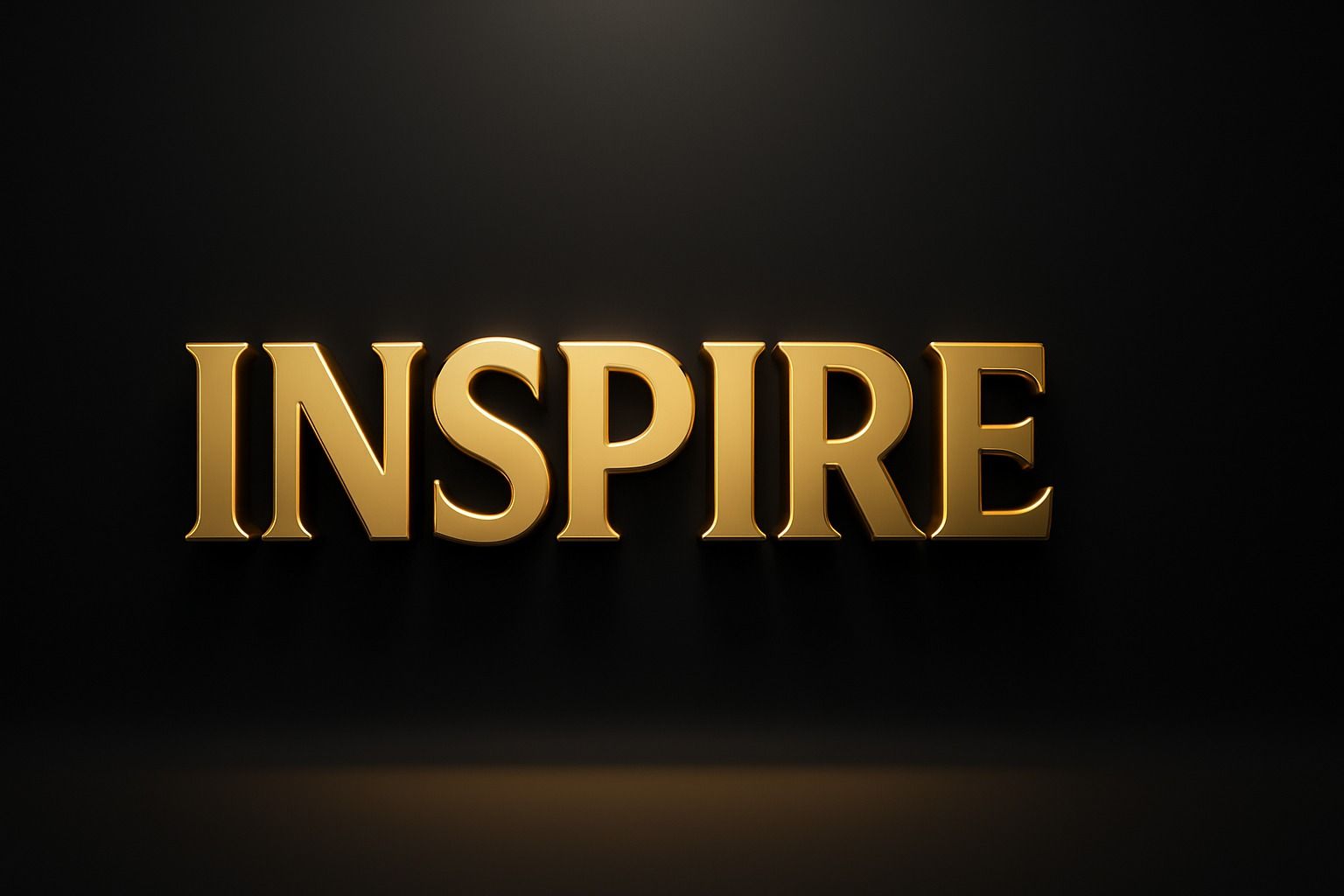
Other examples are demonstrated below:
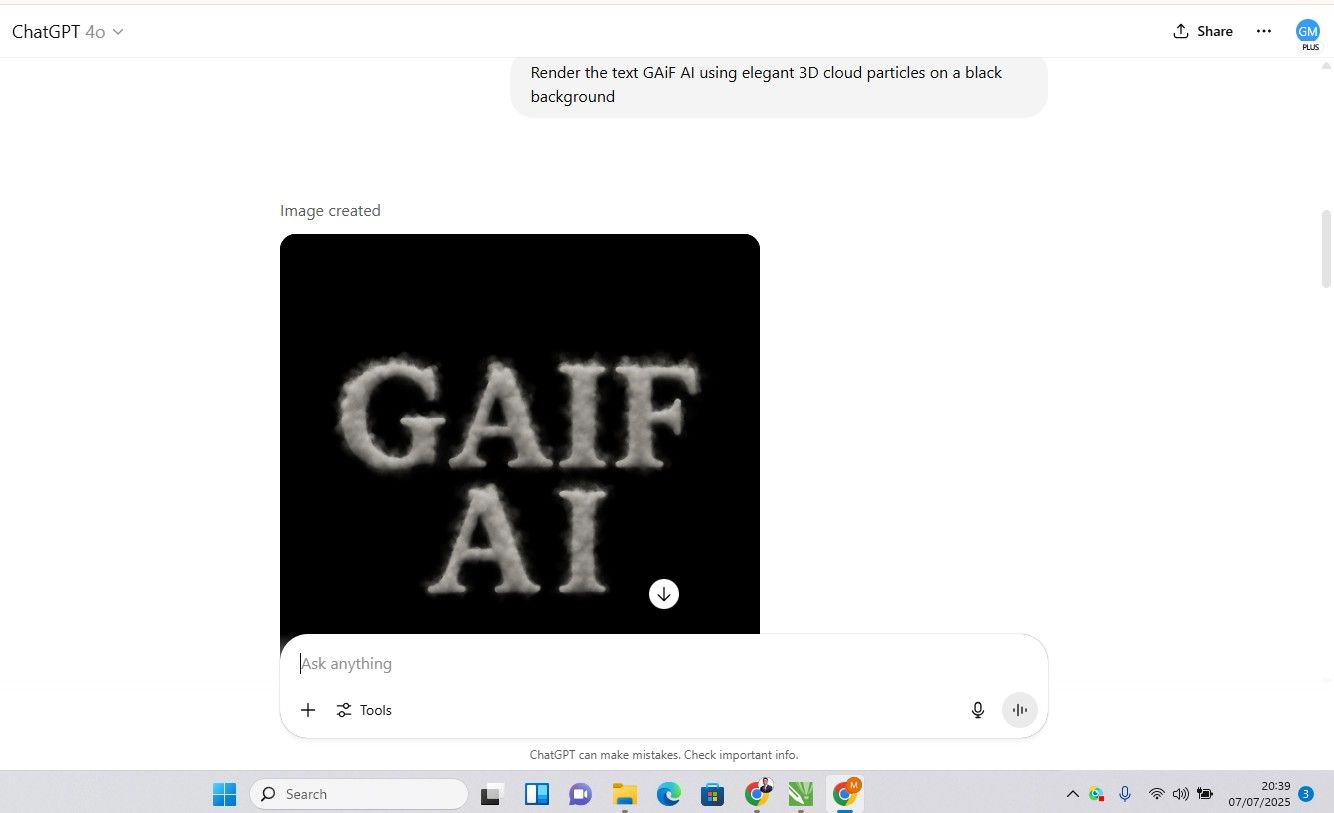
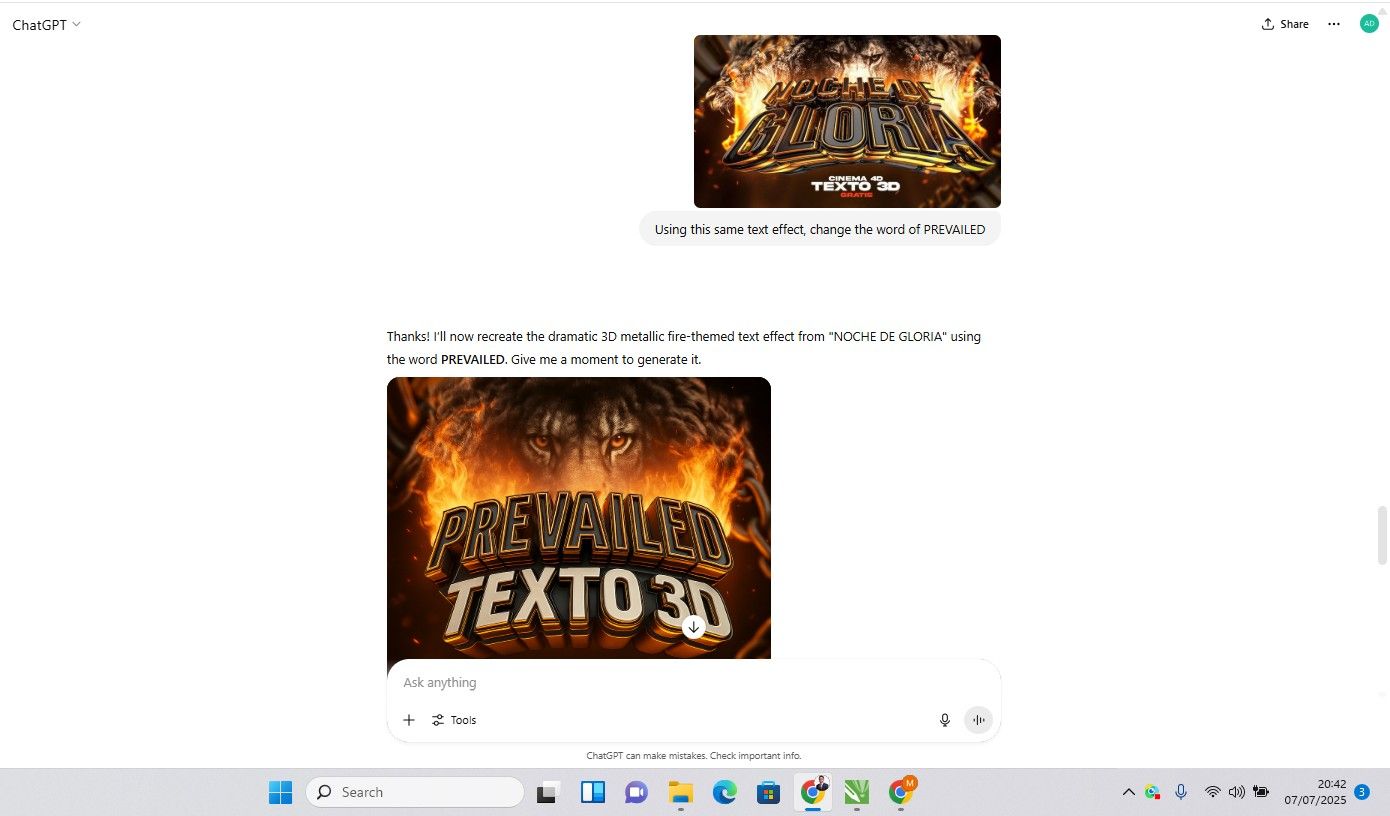
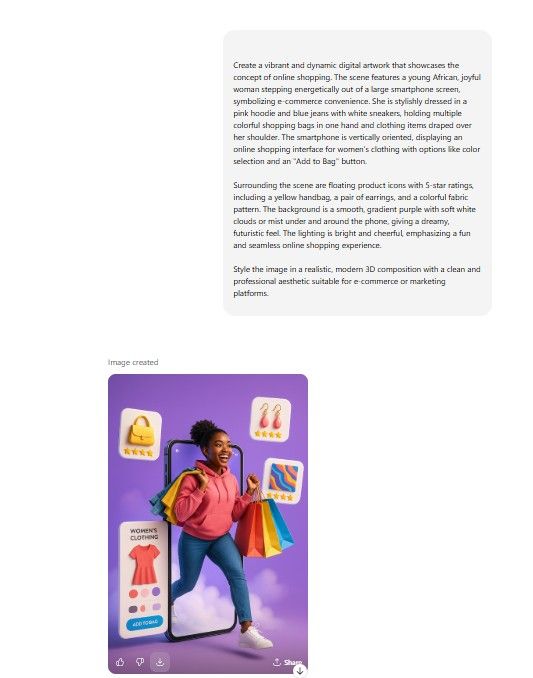
Curious how generative AI can transform your work? Join the GAiF community today and connect with designers, creators, and innovators across Africa who are using AI to build the future.
Get Sasa by email
Generative AI, Africa now. One edition, no more than once a week.